Spaceit MCS: Turning fragmented satellite operations into one platform for real missions
At a glance
Spaceit MCS is a cloud-based web SaaS for planning and operating satellite missions, bringing mission operations, ground-station access, telemetry, commands, alerts, reports and communication into one product.
The challenge
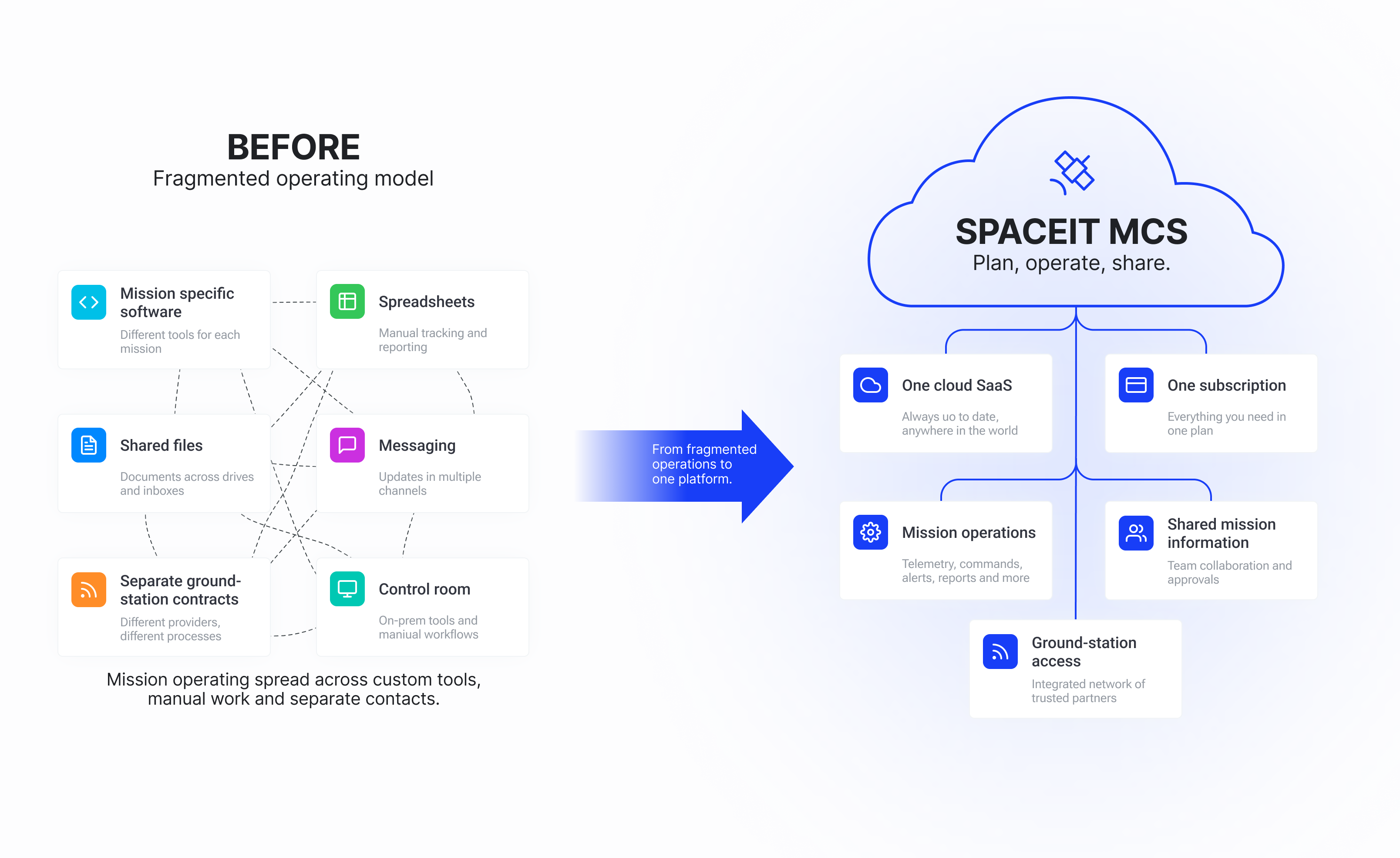
Satellite missions were often run through custom tools built for a single mission, spreadsheets, shared drives and messaging, with separate contracts for every ground-station network and operations tied to the control room.
The design challenge was to turn a fragmented, mission-specific operating model into a scalable product model, that could support different missions, bring ground-station access into the same system, and replace a large amount of manual work.
Outcome
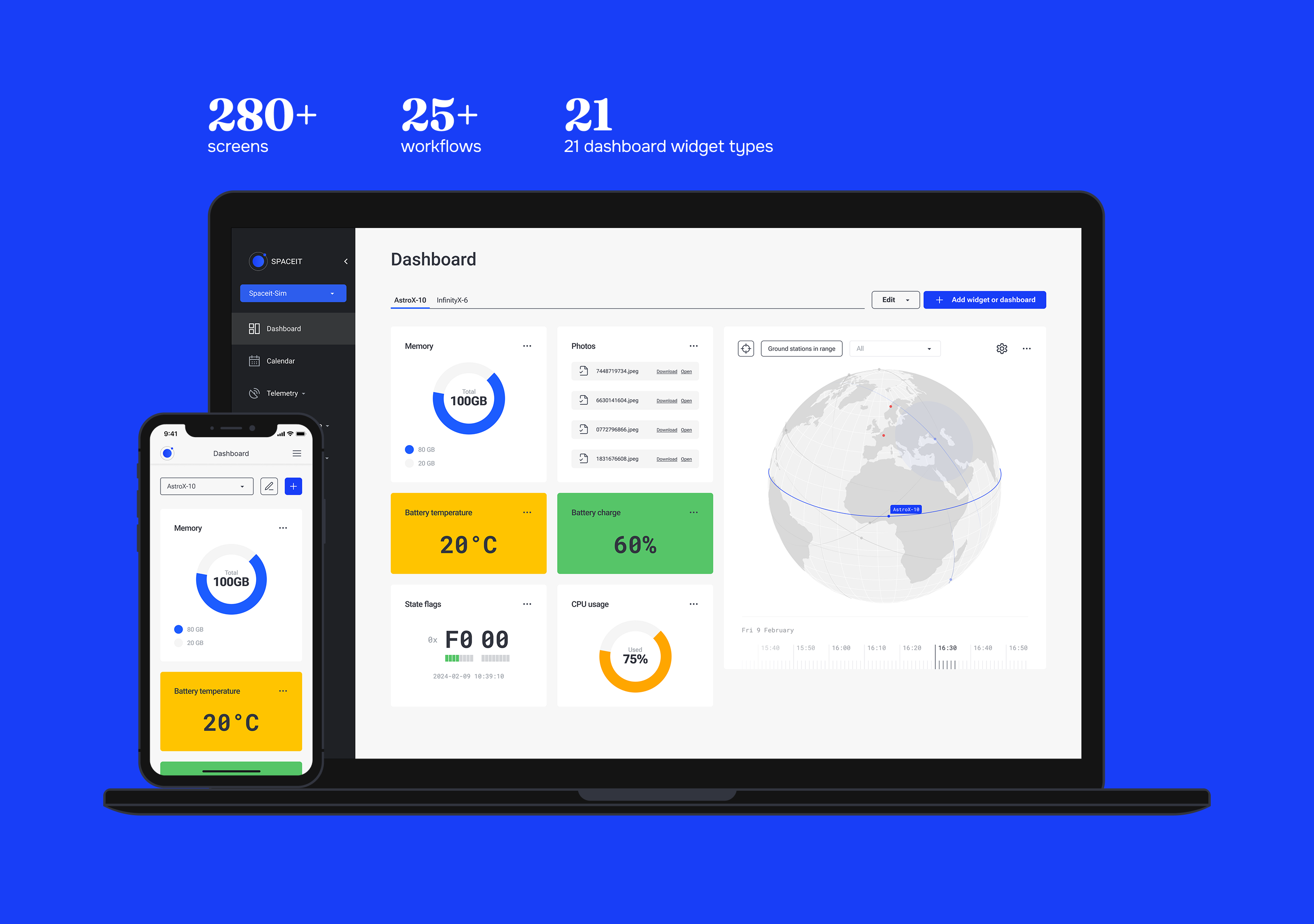
Over three years, I led the product design as the sole designer, taking the platform from an early engineering MVP to a production SaaS product with 280+ screens, 25+ workflows and a customisable 21-widget dashboard. By the time I left, it had supported two real satellite missions.
Project stages
- Domain research and operator interviews
- Information architecture and workflow definition
- Product design and prototyping, module by module
- Design system development in parallel with the product
- Mobile research, scope definition and product design
- Continuous validation with the Space Systems Advisor and simulated mission scenarios
- Production use and real satellite missions
The problem wasn't a missing feature. It was a missing model.
Before Spaceit MCS, a satellite mission could rely on a custom tool built specifically for that mission, while a large part of the work still happened through spreadsheets, shared drives, messages and manual processes. Ground-station access added another layer: a satellite could need several networks along its path, each bringing separate contracts and integrations. Operations were also tied to the control room.
Spaceit proposed a different model: one cloud-based web SaaS, sold as a subscription, where mission operations, information, reports, communication and access to a ground-station network could live in one system.
Design challenge
When I joined, an early engineering MVP covered only part of the planned product. Roughly half of the planned functionality still existed only as requirements. The MVP proved parts of the technical foundation, but the wider product structure had not yet been defined.
The design work therefore started at system level: how missions, satellites, ground-station contacts, telemetry, commands, alerts and logs should connect; how technical requirements should become usable workflows; and how the same product could support very different missions without becoming another one-off tool.
This was not a redesign of a finished product. The task was to turn a partial technical foundation and a large set of requirements into a product that operators could actually use.
Product decisions
The research did not become a list of feature requests. It helped decide what the product should standardise and what needed to stay flexible.
Connect the workflows. Mission information, commands, telemetry, alerts, logs and ground-station contacts needed to work as parts of one system rather than separate tools.
Keep the mission setup flexible. Different missions prioritised different data, so the main monitoring workspace could not be fixed for everyone.
Give mobile a focused role. Operators needed mobile during active situations away from the workstation, not for full mission planning.
Build the system from real product patterns. As the platform grew module by module, repeated interaction patterns became reusable components instead of being designed again for every workflow.

Solution
Building the product structure
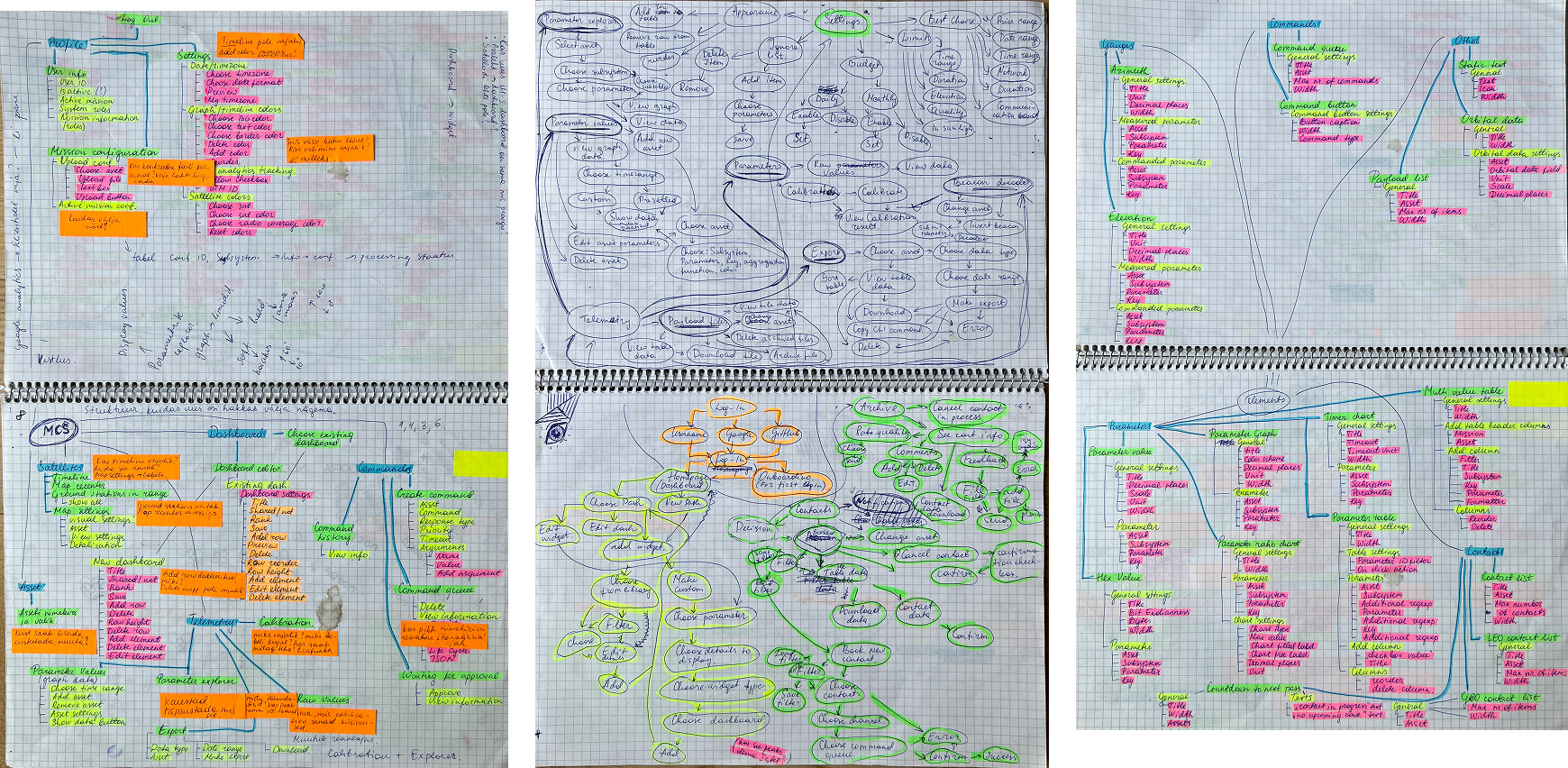
Before designing individual screens, I mapped the information architecture around the relationships between missions, satellites, ground-station contacts, telemetry, commands, alerts, logs and other parts of the platform. The IA helped define where information belonged and how operators moved between tasks. From there, requirements became workflows, and workflows became interface patterns that could be reused across the product.
Designing for different missions
One of the strongest research findings was that there was no single "normal" mission setup. Different satellites expose different telemetry, and the information that matters most can change from one mission to another. A fixed dashboard would have forced every operator into the same information hierarchy.
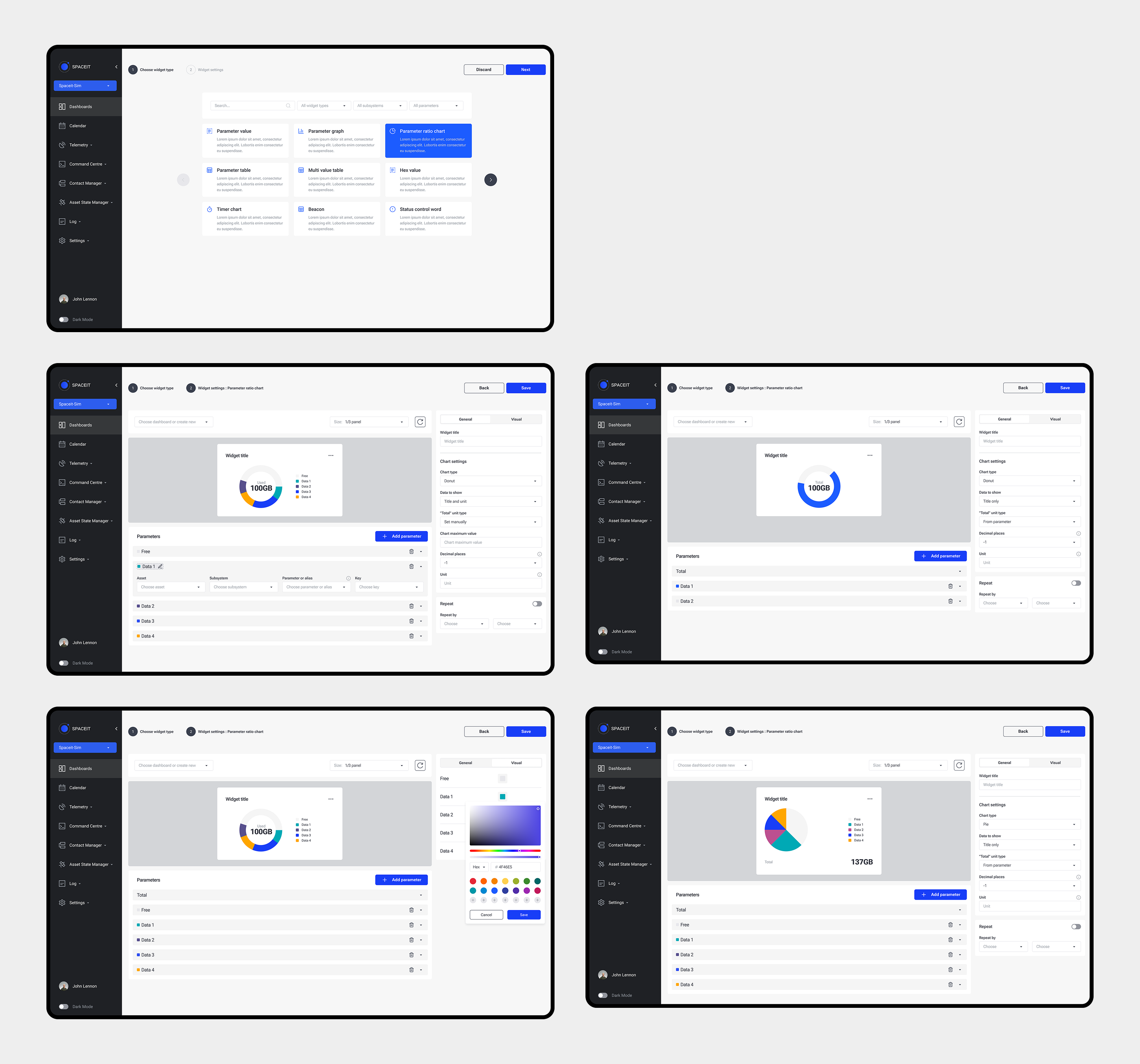
Instead, we designed a customisable dashboard built from 21 widget types, so teams could choose and arrange the information their mission depended on. This became a wider product principle: provide a clear structure, but do not assume every mission works in the same way.
Build the surface, let the operator make it theirs.
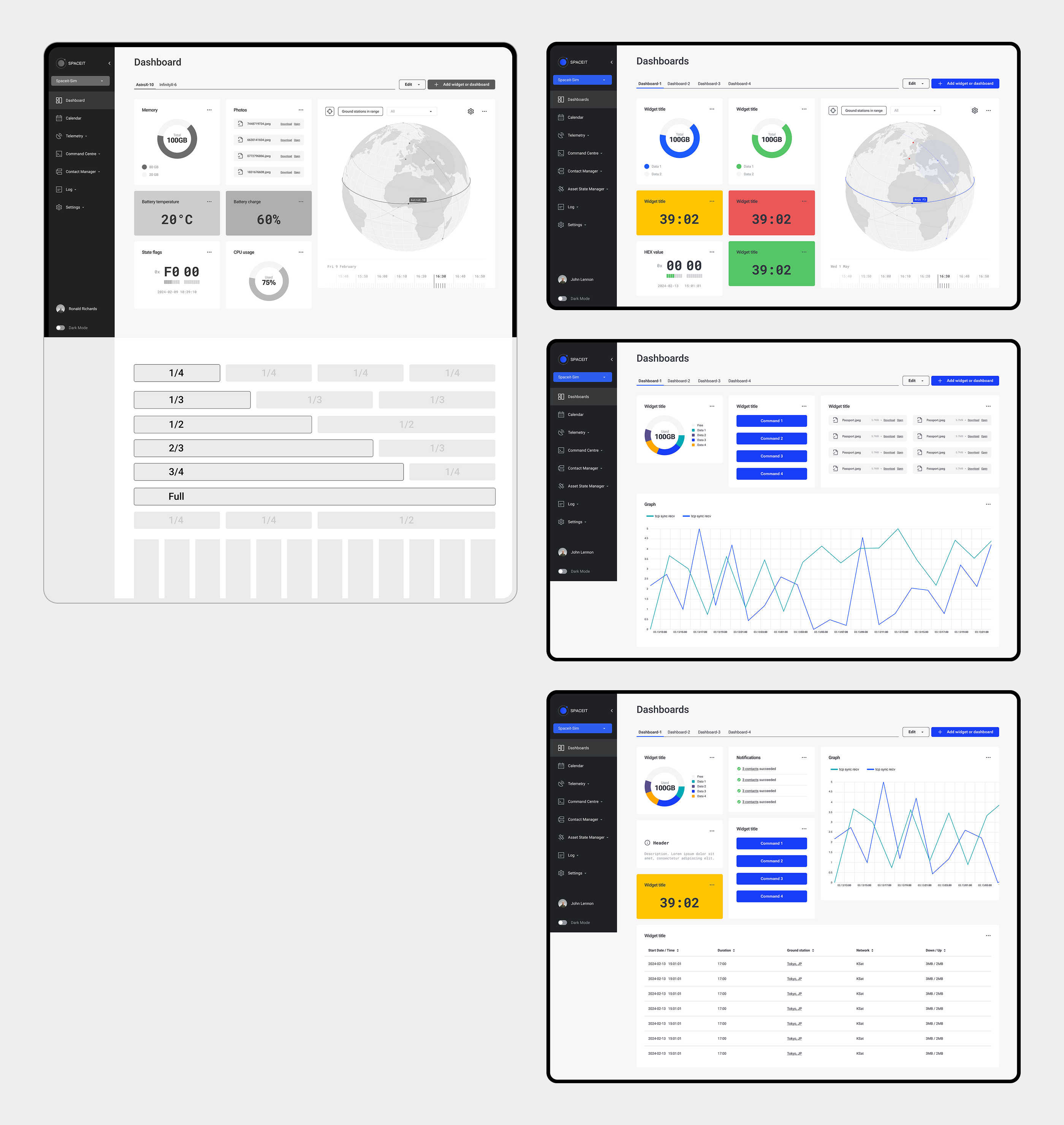
The flexibility continued inside each widget. Operators could configure widgets individually, adjusting them to the data and mission setup they needed.
Turning manual work into efficient workflows
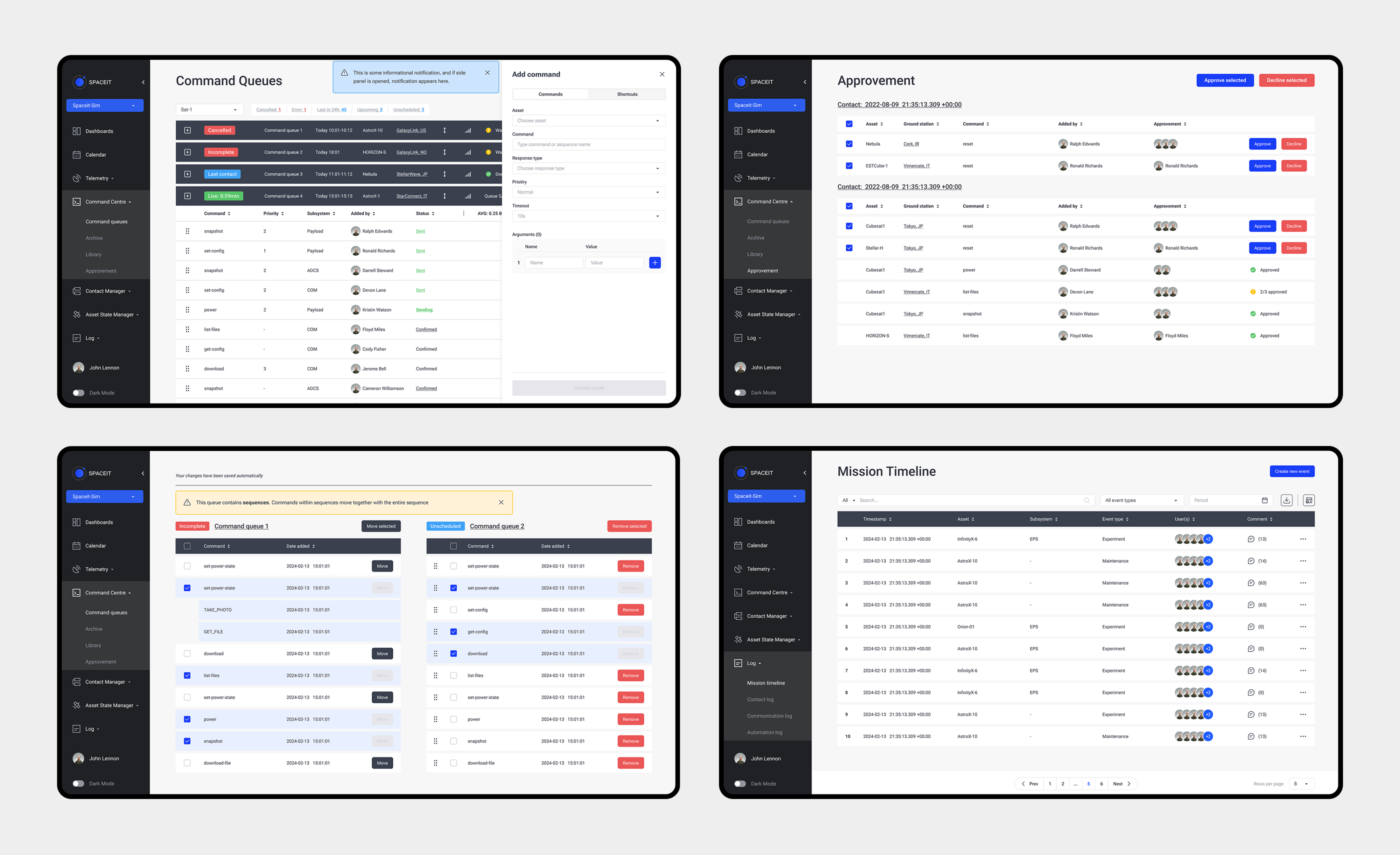
Operators could monitor a mission, understand what happened and take action in the same system, without switching between separate tools. Bringing these tasks into connected workflows reduced manual coordination and made day-to-day mission operations more efficient.
Mobile was not a smaller desktop
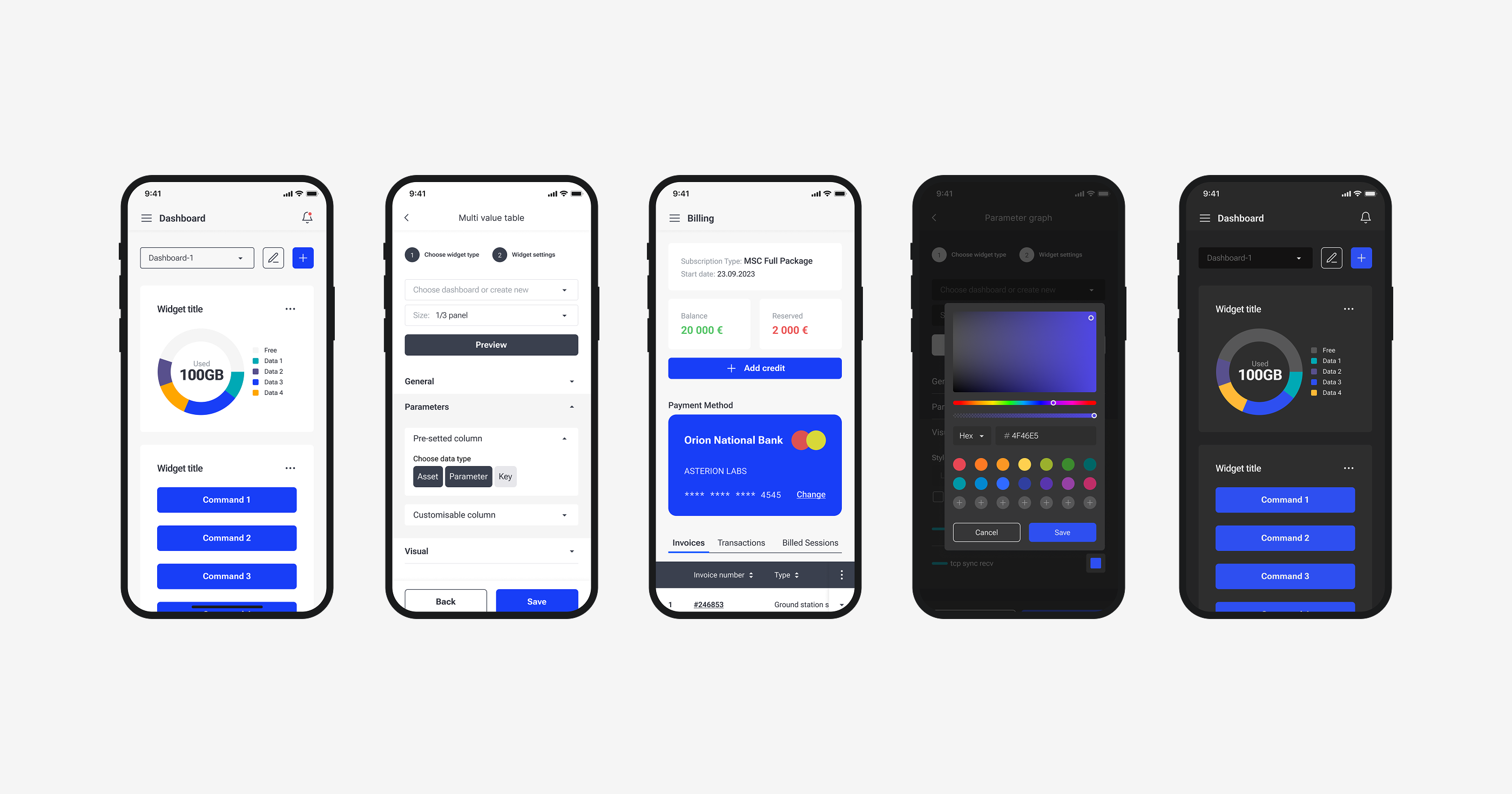
Research changed the direction of the mobile product. Operators were not looking to plan an entire mission from a phone; mobile was useful when something was already happening and they needed to check information or respond away from the main workstation. Instead of adapting every desktop workflow, we reduced the scope around those active situations.
Planning and detailed analysis stayed on desktop, while mobile kept the information and actions that mattered away from the control room. This made the mobile product more useful and also removed unnecessary design and development work.
A smaller scope made the mobile product more useful.
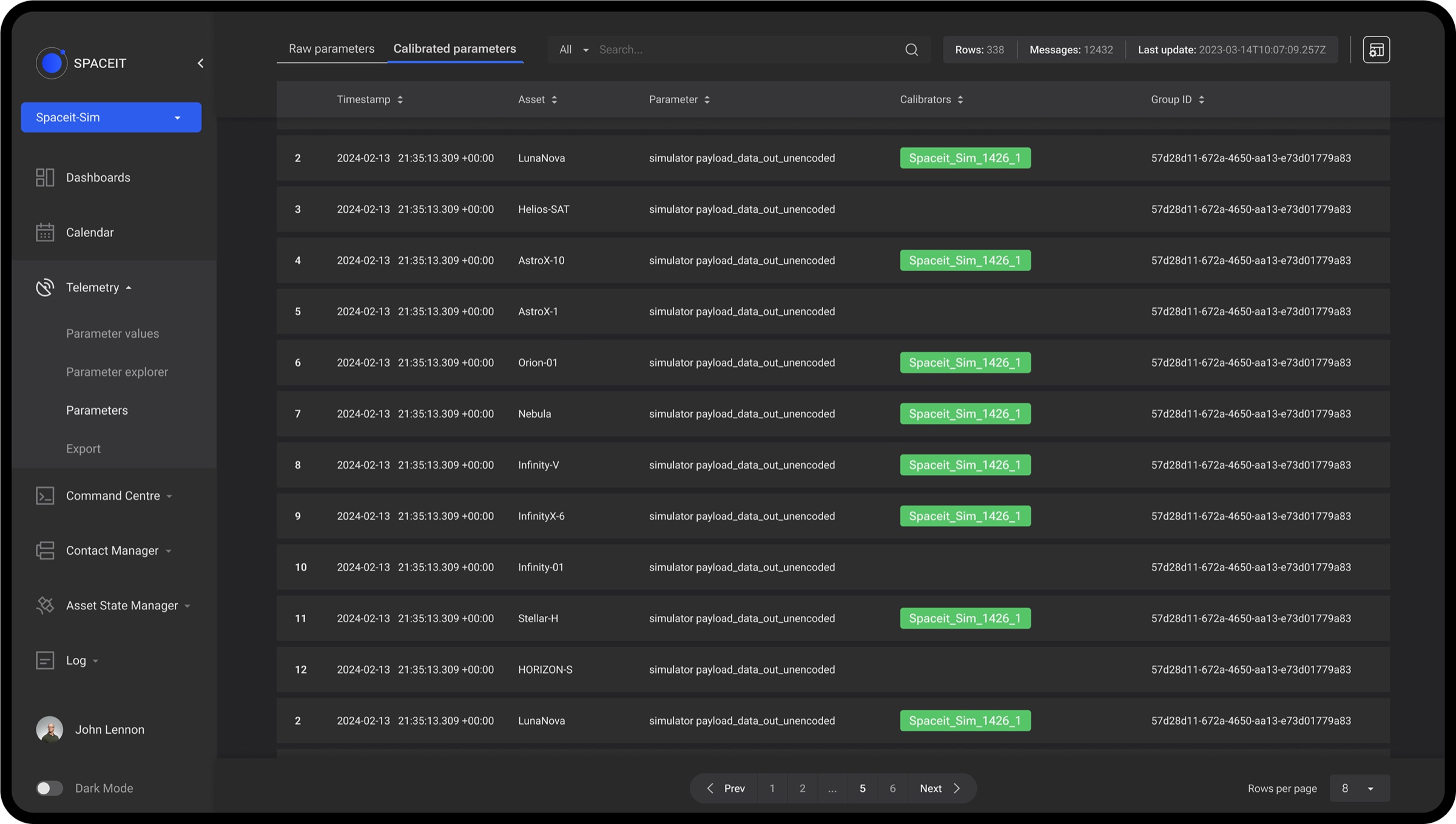
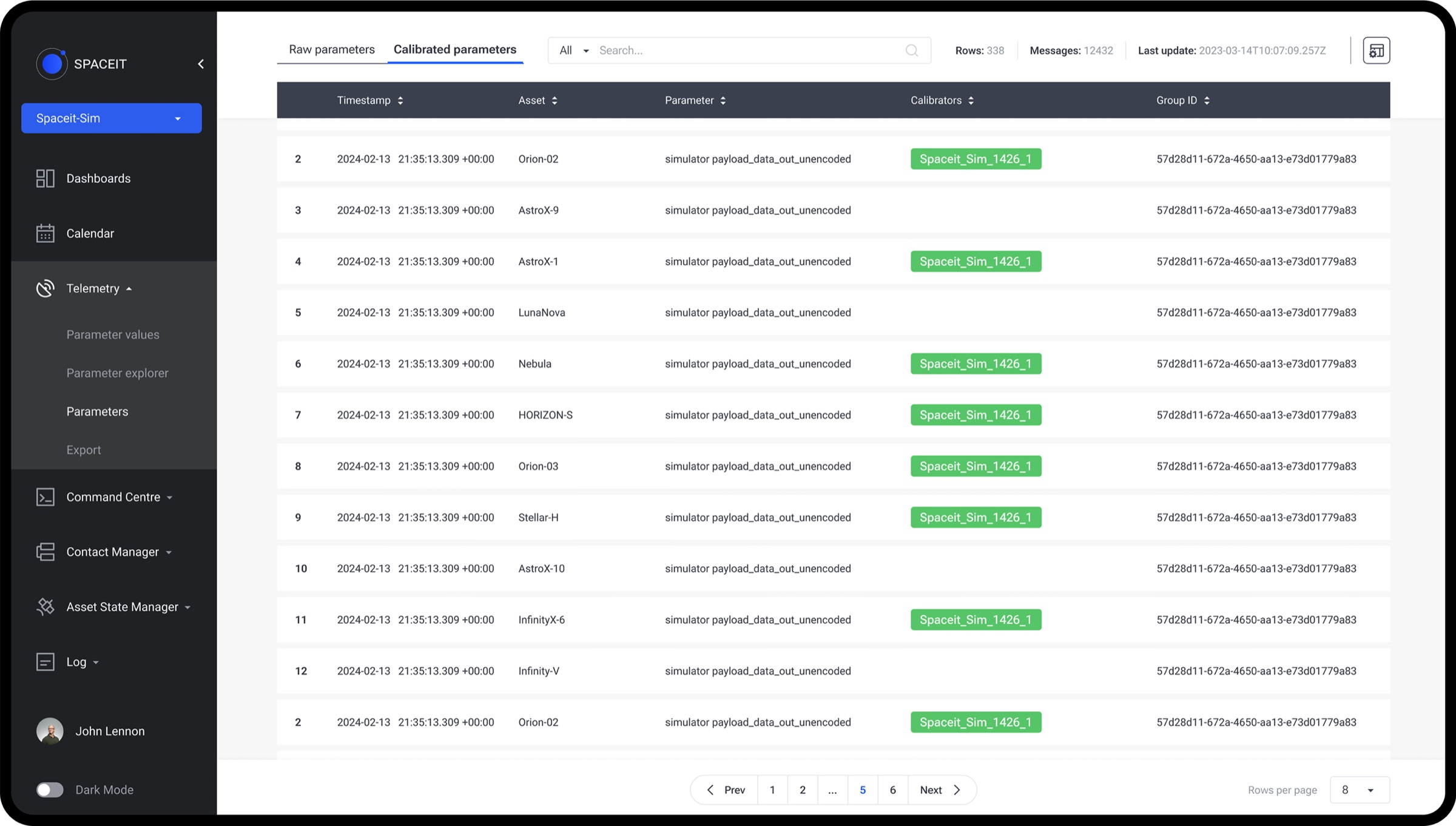
Dark mode shipped on both platforms from the beginning. Satellite operations can continue around the clock, including environments kept dark for monitoring.
Validation
Mission Control Software is not a typical SaaS where you can release a feature to production and see if a hypothesis works. Operators need to trust the system before a real mission, because testing an unfinished workflow during live operations could put months of preparation and the satellite itself at risk.
Ongoing validation therefore combined prototypes, simulated mission scenarios and regular reviews with our Space Systems Advisor. This helped us check workflow logic and operational situations.
By the time I left Spaceit, the platform had supported two real satellite missions. It was real production use, while still only the beginning of learning how the product would perform across many different satellites and mission setups.
Outcome
280+ screens
25+ workflows
21 dashboard widgets
280+ design system components
View the Design System case study →2 real satellite missions
The project started in a domain I knew almost nothing about. Three years later, Spaceit MCS was supporting real satellite missions. The work was rarely straightforward: research changed some of our assumptions, some ideas had to be reduced or rethought, and not every decision could be validated in production. Over time, I learned to ask better questions, work with uncertainty and adjust the product as we understood the domain better.